Where Your Money Is When a PHWIN Deposit Is Not Credited
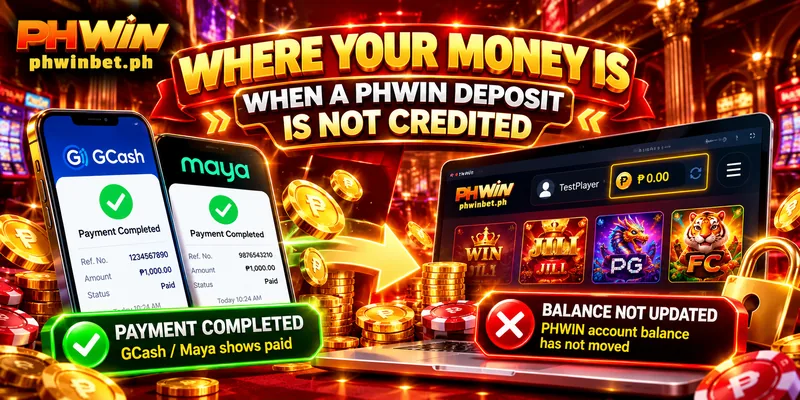
A PHWIN deposit not credited looks like this: GCash or Maya shows the payment as paid, and the Balance in the header has not moved. Start with your wallet’s own record, because the later checks only matter once the payment has completed there. Each check sits at a different point on the route, so stop at the first one that fits what you see.
Does Your Wallet Show the Payment as Complete?
Open GCash or Maya and read the record of the payment, because that record tells you whether the money left your wallet. The record proves that you paid, and the Deposit History in your account proves that the deposit arrived.
If you paid by scanning a QR code, GCash’s Help Center gives two checks, in this order:
- Open Transaction History in the GCash app and confirm that the payment shows as processed.
- Open the Inbox in the GCash app, where the QRPH invoice number linked to the payment sits; the merchant uses that number to verify the payment.
Maya keeps a transaction history of its own, so the same first check applies there. A payment missing from the record never completed, so a PHWIN deposit not credited for that reason needs a new payment, not a search.
A record that reads Payment confirmation in progress is neither case: GCash settles it with an Adjustment within 24 to 72 hours, and for a payment from GCash Balance you contact GCash only after 72 hours, so hold off on a second payment until then.
When the record shows the payment as complete and your account still shows nothing, GCash’s Help Center describes one more route for QR payments: tap the transaction, choose Merchant didn’t receive this payment and submit a ticket. The merchant or the merchant’s partner bank reviews that ticket.
GCash puts that review at 6 to 12 business days, depending on the merchant, so contact Customer Service (the button on the floating bar at the right of the screen) while the ticket is open: a second payment is one more charge to trace.
Can a Payment Made on Another Address Be Credited?
With the wallet record complete, the next question is where the payment started. A deposit starts when you press Apply for Deposit on the Deposit page of phwinbet.ph, the only address that carries your account, so a payment that began on another address was never an order in your account.
Compare the address you paid from with that name letter by letter: a different ending, a number or an extra word inside the name marks a different address.
If the address was wrong, tell Customer Service which address you used and send the wallet record, because that fact separates this case from a deposit not credited at PHWIN for the reasons below.
Which Number Did You Pay From on a QR Channel?
One mismatch can leave a GCash deposit at PHWIN not received on a QR channel: your phone number and the number you pay from must be the same, as the GCashQR screen warns. When they differ, the screen tells you to type, on the webpage and after you pay, the final six digits of the transaction number.
Say your phone number ends in 4417 and the wallet you paid from sits on a number ending in 9082, an example. The numbers differ, so those six digits, read from your wallet’s record of that payment, are what you type.
When the numbers already match, the screen asks for nothing more. This check belongs to the GCashQR channels; on any other channel, go to the next section.
Where Do the Money and the Bonus Appear After a Deposit?
Two places show a credited deposit: the Balance in the header and a line in Deposit History, which you open from Personal Center under Deposit. A credited ₱500 payment sent at 21:40 leaves one ₱500 line near 21:40, an example and not a figure from the screen.
Match the line’s amount and time to your payment: when both agree, the line confirms the deposit. If the line exists and the Balance has not moved, this PHWIN deposit problem belongs to Customer Service, so send the time and amount printed on the line.
The bonus arrives apart from the money. The Daily First Cash-in Bonus is added automatically within 3 minutes, and the First Deposit Bonus is added right after the deposit succeeds, but you receive neither unless you picked it when you applied.
So a ₱500 line in Deposit History with no Daily First Cash-in Bonus after 3 minutes is a question about the bonus, no longer about a deposit not credited at PHWIN.
When Is a Deposit Not Credited at PHWIN a Customer Service Case?
A PHWIN deposit not credited becomes a Customer Service case when your wallet shows the payment as complete and Deposit History has no matching line; live chat answers 24/7, so that gap needs no wait. Send your username, the minute you paid, the amount, the wallet and screenshots of both records in one message, or email [email protected].