PHWIN Login Problem: What You Typed Versus What Your Account Saved
A PHWIN login problem falls into one of two groups: a detail you typed wrongly, or a detail your account never stored. Registration asks for a mobile number, yet the login form and Forgot Password both ignore that number, so start at the Username box and work toward the saved email. One check sorts the routes: whether you are still signed in on any device.
Fix a Login Problem at PHWIN Caused by a Credential in the Wrong Box
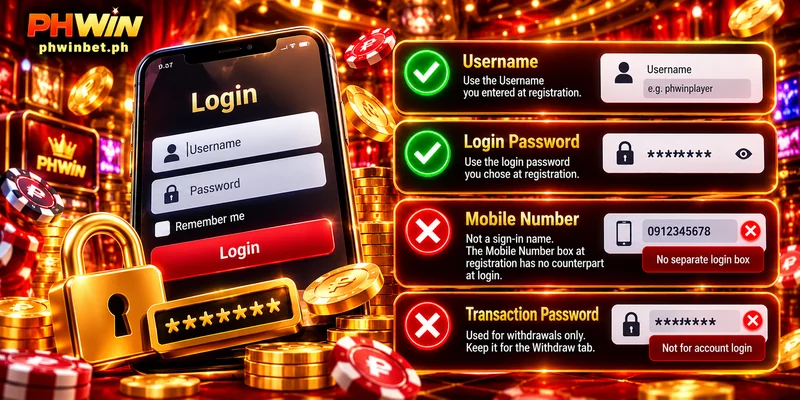
If you cannot login at PHWIN although every character looks right, check two substitutions, one in the Username box and one in the password box of the Login popup. Each box takes one specific detail, and a correct detail typed into the wrong box fails like a wrong one.
Mobile number: not a sign-in name
The Register popup has three required boxes, and the login boxes reuse only two of them, Username and Password; the Mobile Number box has no counterpart at sign-in. The name to type is the Username you entered at registration, not the number you gave beside it.
Transaction Password: opens withdrawals, not the account
Every withdrawal asks for the Transaction Password, which you create later inside My Account under Security Level. Sign-in uses the password you chose at registration, so type that one and keep the Transaction Password for the Withdraw tab.
Rule Out What Your Browser and Keyboard Change Before Blaming the Password
With the right details in the right boxes, retype the password by hand, one character at a time, before you call the password wrong. Your browser and phone can change what you send in four ways:
- Autofill: your browser can fill the box with an older saved password, so clear the box and type the current one.
- Paste: a pasted password can carry a trailing space, so type the password by hand instead.
- Phone keyboard: a phone keyboard can capitalise the first letter of the Username box, so check that letter before you press Login.
- Caps Lock: Caps Lock changes every capital you send, so look at the Caps Lock light before you press Login.
When hand-typed details still fail, your login problem at PHWIN comes from what the account stored, so check the saved email next.
Check for a Saved Email Before You Press Forgot Password
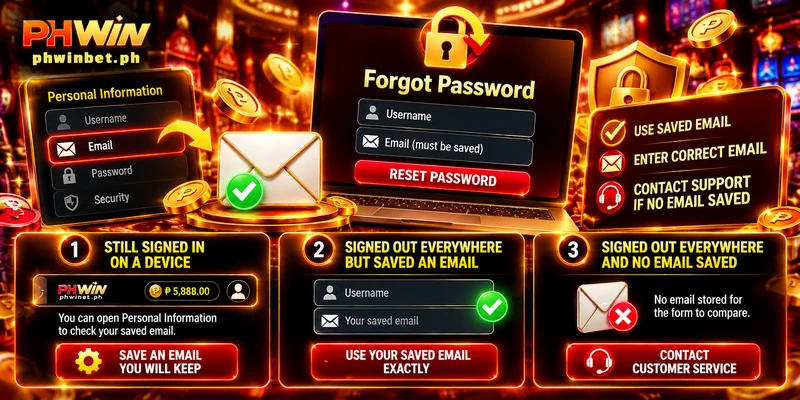
Forgot Password compares your Username with an email that must already be saved in Personal Information, and the three required fields of the Register popup do not include one. Your PHWIN forgot password request therefore works only from what you saved before you lost access.
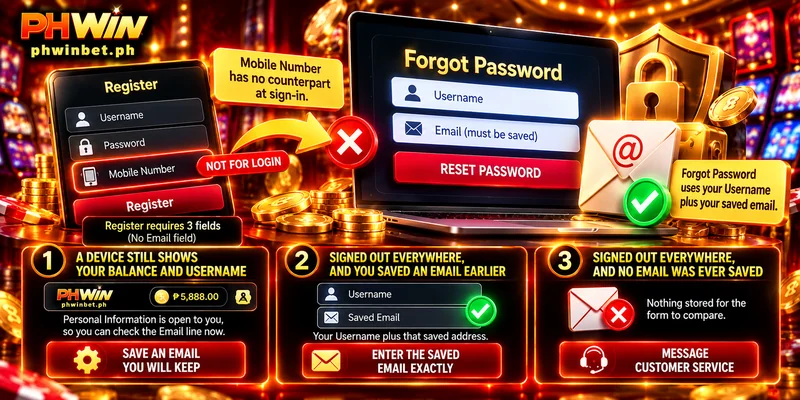
Three situations cover a login problem at PHWIN, sorted by one test: whether any device still shows your Balance and Username in the header.
| Where you are | What Forgot Password can use | What to do |
|---|---|---|
| A device still shows your Balance and Username | Personal Information is open to you, so you can check the Email line now | Save an address you will keep while you can still sign in |
| Signed out everywhere, and you saved an email earlier | Your Username plus that saved address | Enter the saved address exactly, not another address of yours |
| Signed out everywhere, and no email was ever saved | Nothing stored for the form to compare | Message Customer Service |
Only the first row has a deadline, because Personal Information opens from inside the account. Rows two and three differ by one earlier visit to that page.
Contact Customer Service When Forgot Password Cannot Match Your Details
A PHWIN login problem with no saved email, or with a forgotten Username, has one route left, since Forgot Password needs both: live chat through the Customer Service button on the right side of the screen, open 24/7, or [email protected]. Send your Username and a screenshot of the failing screen in one message, and never include your password.